![explori_logo (1).png]](https://kb.explori.com/hs-fs/hubfs/Explori%20logos/explori_logo%20(1).png?height=40&name=explori_logo%20(1).png)
Company (purple) questions play a key role in effectively tracking and analysing your event data. These questions are used to generate Company Benchmarks, allowing you to compare performance across all events within your organization. Creating and using your own Company questions ensures that the benchmarks you produce align with your company’s specific goals and metrics. This customisation allows you to gain deeper insights and make more informed decisions. Creating company questions also saves time by eliminating the need to recreate the same questions for each survey.
Note: Company questions can be created by Master Users. If you would like to create Company questions, please speak to your Explori company lead or Account Manager.
How to create Company Questions
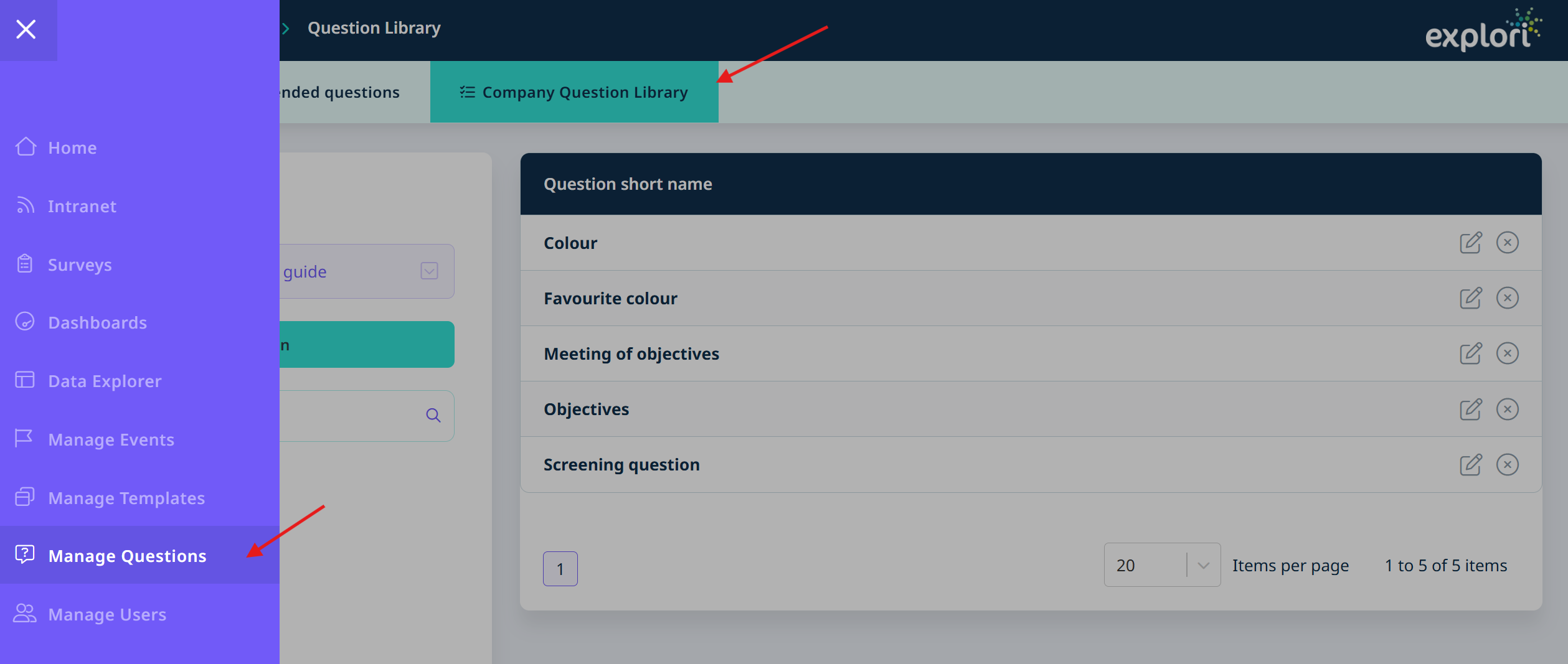
- Go to ‘Manage Questions’ via the menu
- Select ‘Company Question Library’
- Go to ‘New Question’
- Select your question type and create your question
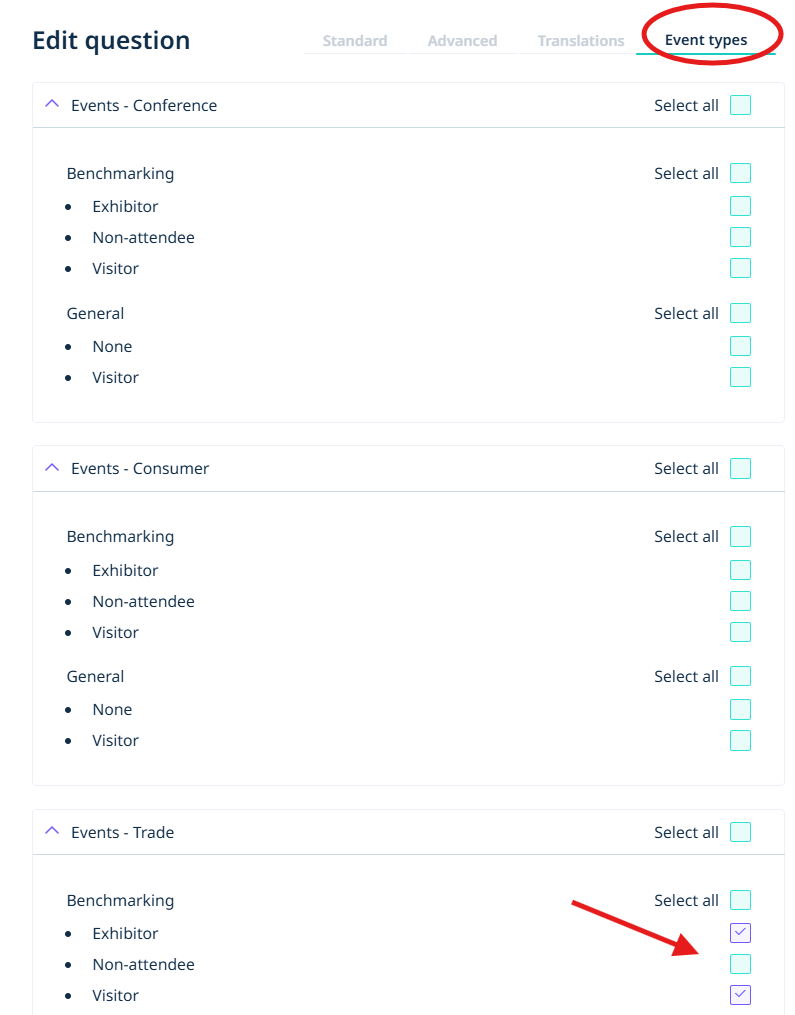
- Once you have set up your question, go to ‘Event types’ and select the events you would like the company question to appear for.
- Save your changes
How to edit company questions
Warning: You can edit the company question to make small amendments, however, editing the company question will change the question in every instance that it has been used. If you have used the question in previous surveys, and you are making significant changes, it is better to create a new version of the question rather than editing the one that already exists.
For small changes, such as adding translations:
- Search for the question you would like to edit and click on the edit button
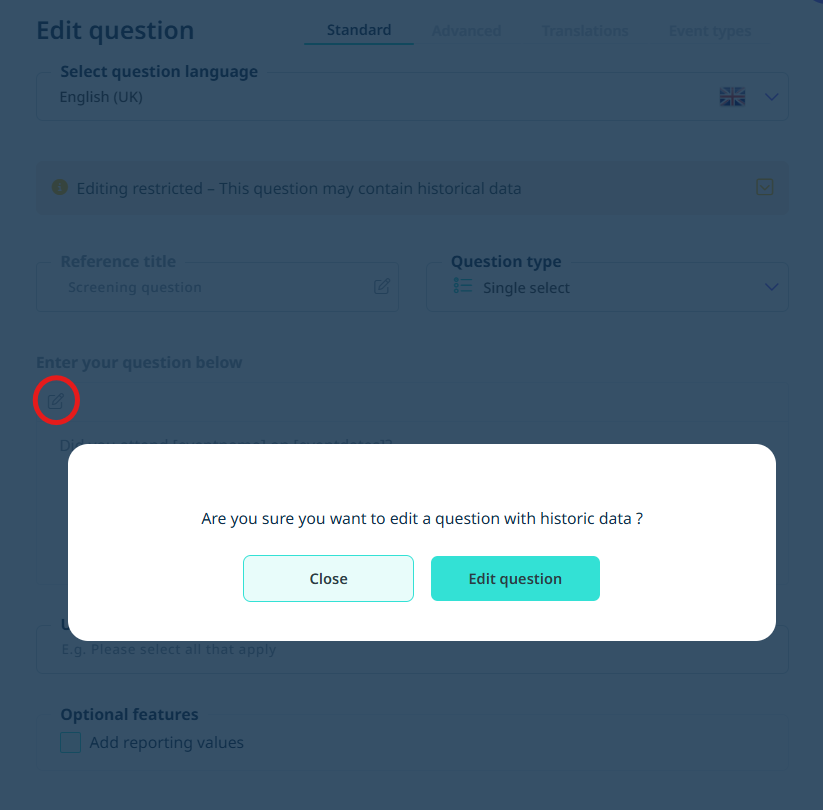
- Select the edit button where you need to make any updates. You will be shown a warning. Click on ‘Edit question’ and make any amendments
- Once you’re done, save your changes
How to use a Company question in your survey
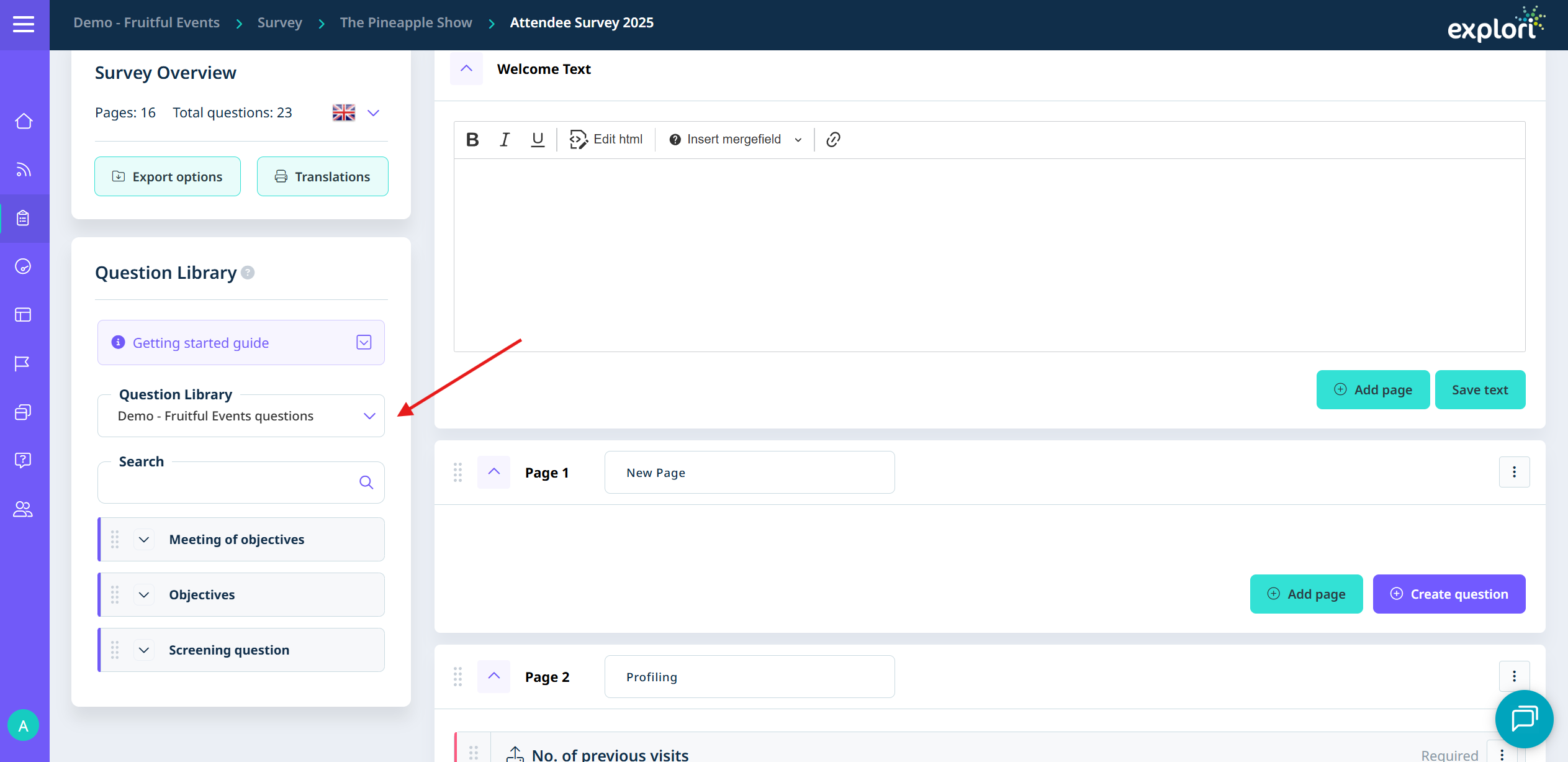
- In the survey, go to the Question Library and select ‘[company name] questions’. All of your company questions will appear here
- Scroll or search for the question you have created and drag and drop it into the survey
How to remove Company questions
There isn’t a way to delete company questions. This is to prevent any issues that could be caused if the question has been used in previous surveys. If a question is no longer in use, we recommend adding ‘DO NOT USE’ to the title of the question.